Salon stock and inventory
Salon stock that knows every tube
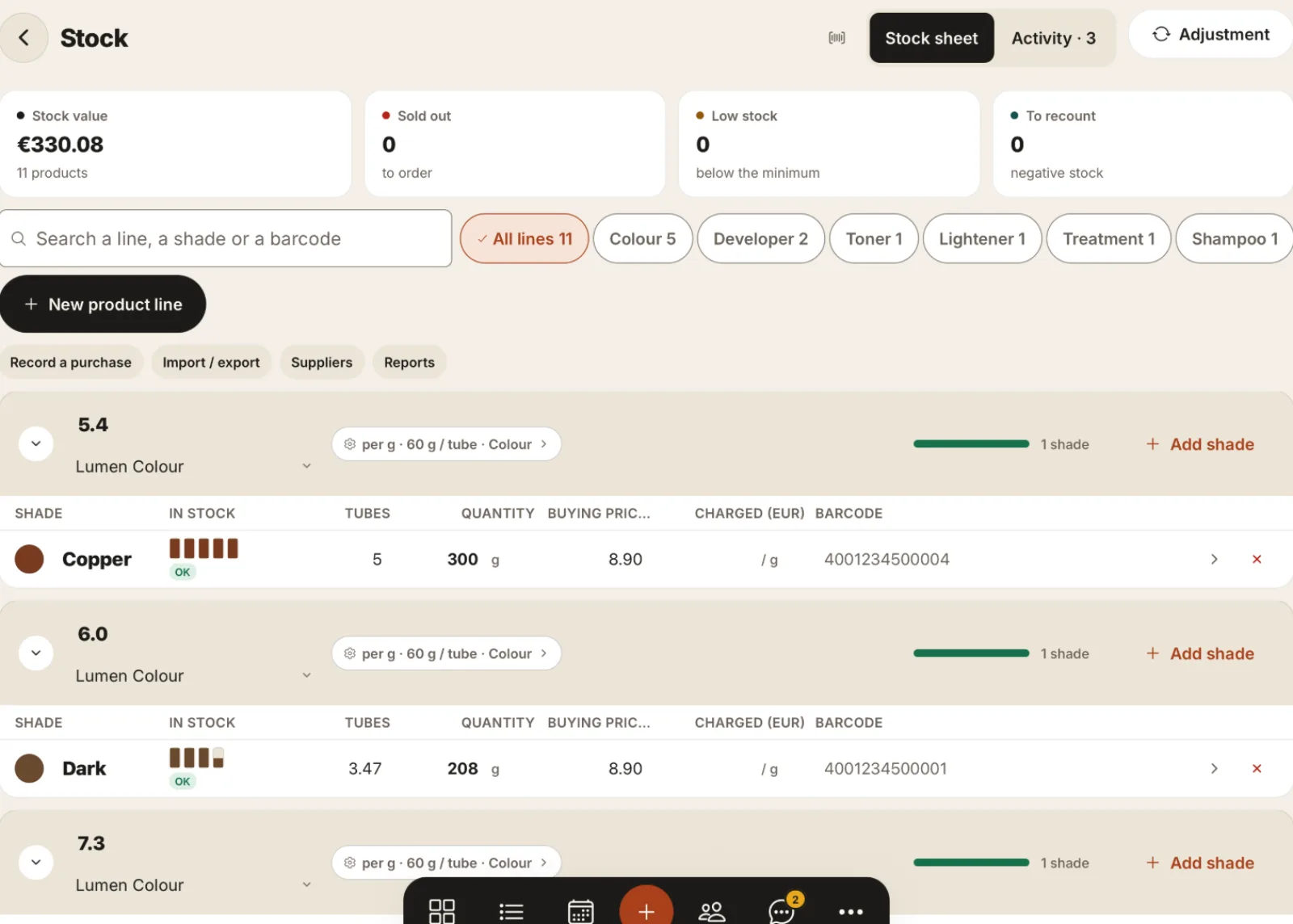
Artover Appointment follows professional colour to the gram, tube by tube, opened or sealed. Scan a barcode to find, count or receive a product, and let low-stock alerts and reorder suggestions tell you what to buy before a colour runs out mid-service.
Part of Premium, with colour formulas. On iPad, iPhone, Android and the web.
Start free, forever, with one staff member and no card. Upgrade to Premium for just $9/month per salon to unlock every feature and unlimited staff. See Artover Appointment
- Every tube to the gram, opened or sealed
- Barcode scanning to find, count and receive
- Low-stock alerts and reorder suggestions
What it tracks
Backbar and retail, in one stock
Every tube to the gram
Each colour tube is followed with what is left in it, opened or sealed, so you see the real quantity on the shelf, not a count of boxes.
Barcode scanning
Scan a product to find it, to count it during a stock take, or to receive a delivery, instead of scrolling through a list.
Low-stock alerts
Give each product a minimum and get an alert when stock drops below it, before the last tube is opened.
Reorder suggestions
The products below their minimum are gathered into reorder suggestions, so the order is ready when you call your supplier.
Colour use from the formulas
The grams recorded on a colour formula come off the right tubes, so backbar use is counted without a separate step.
Retail off stock at checkout
Shampoo, styling and care products sold at checkout come off stock as you sell them.
The stock cycle
From the supplier to the bowl
Set up suppliers and products
Product lines and shades, tube size, buying price and barcode, with the supplier you buy each one from. Import a list instead of typing it.
Record purchases and invoices
When a delivery arrives, scan it in and record the purchase with its invoice number. The latest price paid becomes the product’s cost.
Use and sell
Colour formulas take off what goes in the bowls, and checkout takes off what you sell.
Count, waste and returns
Run a stock count, record waste and returns to the supplier, and every movement stays in the product’s history.
More
Read next
FAQ
Questions about salon stock
Can I scan barcodes?
Yes. Scan a product’s barcode in the iPhone, iPad or Android app to find it, count it during a stock take or receive it into stock.
Does it know how much is left in an opened tube?
Yes. Tubes are tracked to the gram and marked opened or sealed, and the grams recorded on colour formulas come off the right tube.
Does selling a product update the stock?
Yes. Retail products sold at checkout come off stock, and a refund can put them back.
Can I keep track of suppliers and invoices?
Yes. Each product has its supplier, purchases are recorded with their invoice numbers, and counts, waste and returns all stay in the history.
How much does it cost?
Stock is part of Premium with colour management, $9 a month for the salon with unlimited staff.
Know what is on your shelves
Part of Premium at $9 a month for the whole salon. Start free and upgrade when you are ready.