Salon booking software, built in Mauritius
Artover Appointment runs the booking side of a salon: online appointments, the day’s calendar, your stylists’ hours, client records and WhatsApp reminders. Clients book from your own link, or simply by chatting with its AI assistant on WhatsApp, and your team works from the tablet on the counter.
7 days free, no card needed. Then $9 a month, every feature included. See pricing
Made for
- Hair salons
- Barbershops
- Beauty salons
- Nail studios
- Spas
- Brow and lash studios
The daily problems it replaces
Bookings arrive by phone, WhatsApp and Facebook
Clients book from one online page that only shows times when the stylist is really free, or by chatting with the AI assistant on WhatsApp, Messenger or Instagram. Every booking lands in the same calendar.
Clients forget and do not show up
Confirmations and reminders go out on WhatsApp and by email, and you can ask for a deposit on online bookings: unpaid by the deadline, the slot is released.
The paper diary only lives at the counter
The calendar is online. Stylists see their own day, the manager sees everyone, and two people can never book the same slot.
Nobody remembers a client’s allergy or favourite stylist
Each client has a record with notes, allergy notes, preferred stylist, birthday and full visit history.
Clients book just by chatting
Switch on the AI assistant and it takes bookings for you, day and night, on WhatsApp, Facebook Messenger, Instagram and the chat on your booking page. It answers from your own menu, prices and opening hours, and in the client’s language.
- 1
The client asks
“Do you have something Saturday afternoon for a cut and colour?” on WhatsApp, Messenger, Instagram or your booking page.
- 2
It offers real times
It checks the same calendar as your team and only offers times when a stylist is really free.
- 3
It books
It takes the client’s name and number and puts the booking in your calendar, following your rules: confirmed at once or waiting for your OK.
It hands the conversation to your team when the client asks for a person, wants to change a booking or asks something it cannot answer. AI replies are paid per use from the prepaid balance.
See it before you sign up
Screens from a demo salon with sample clients.
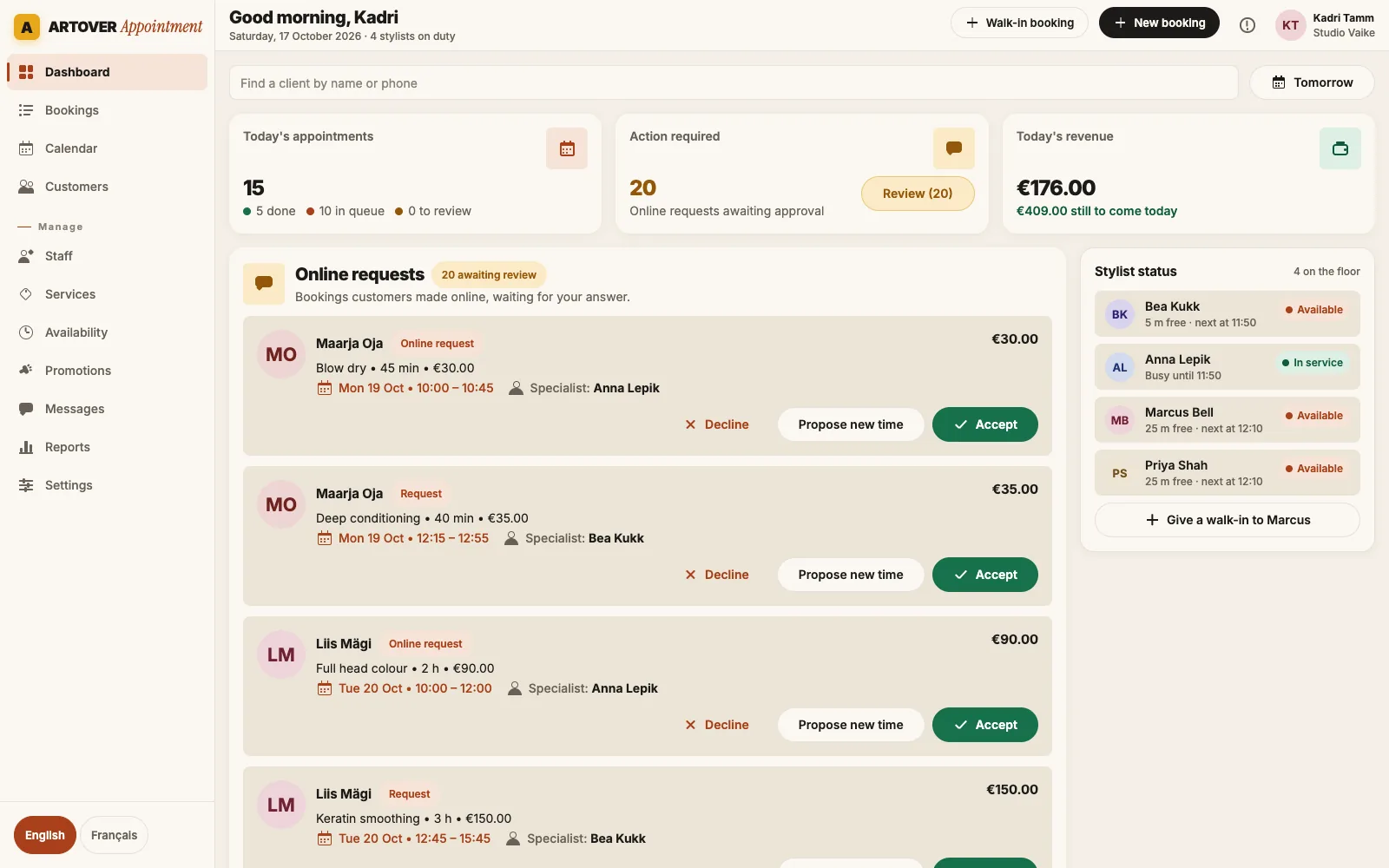
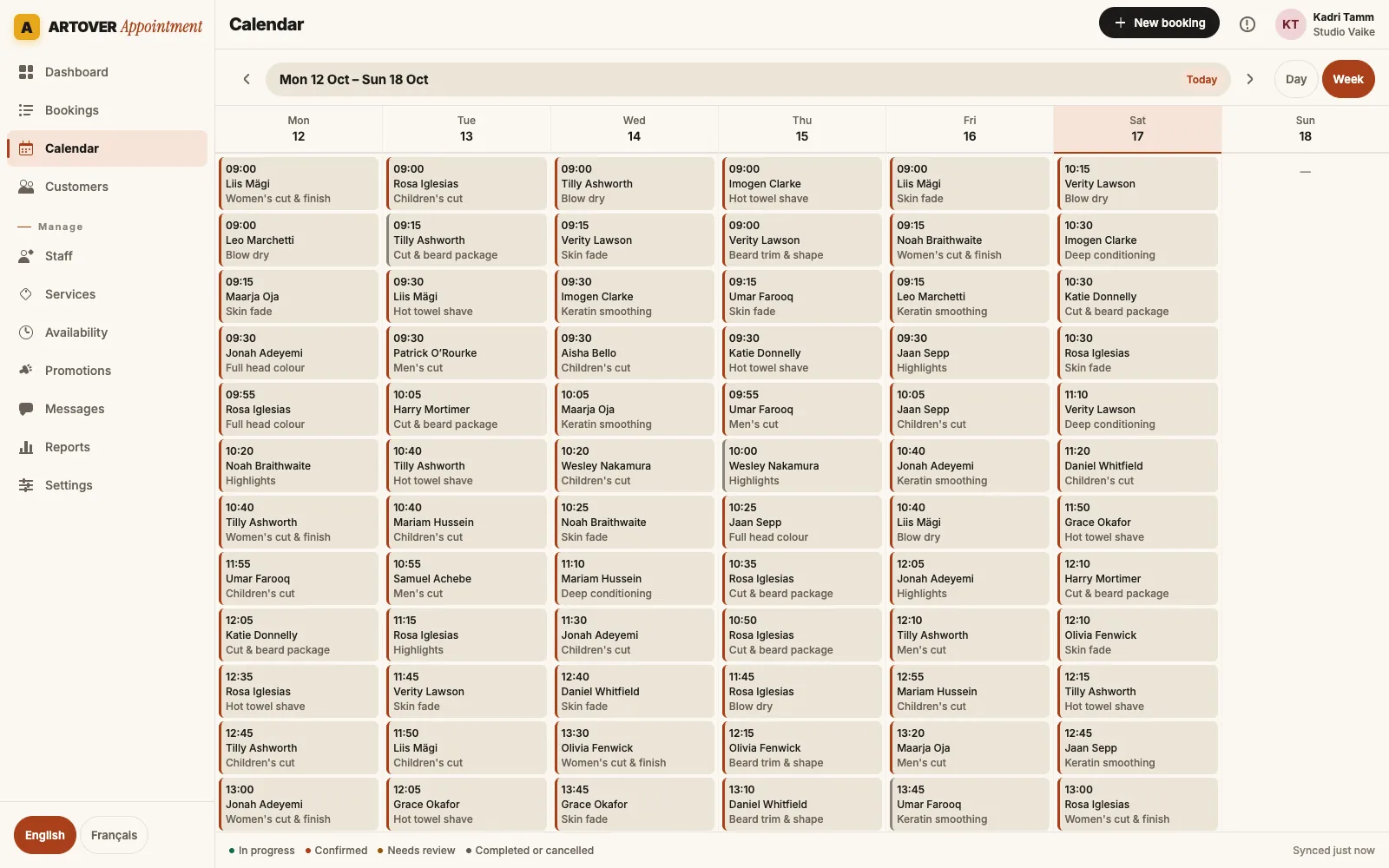

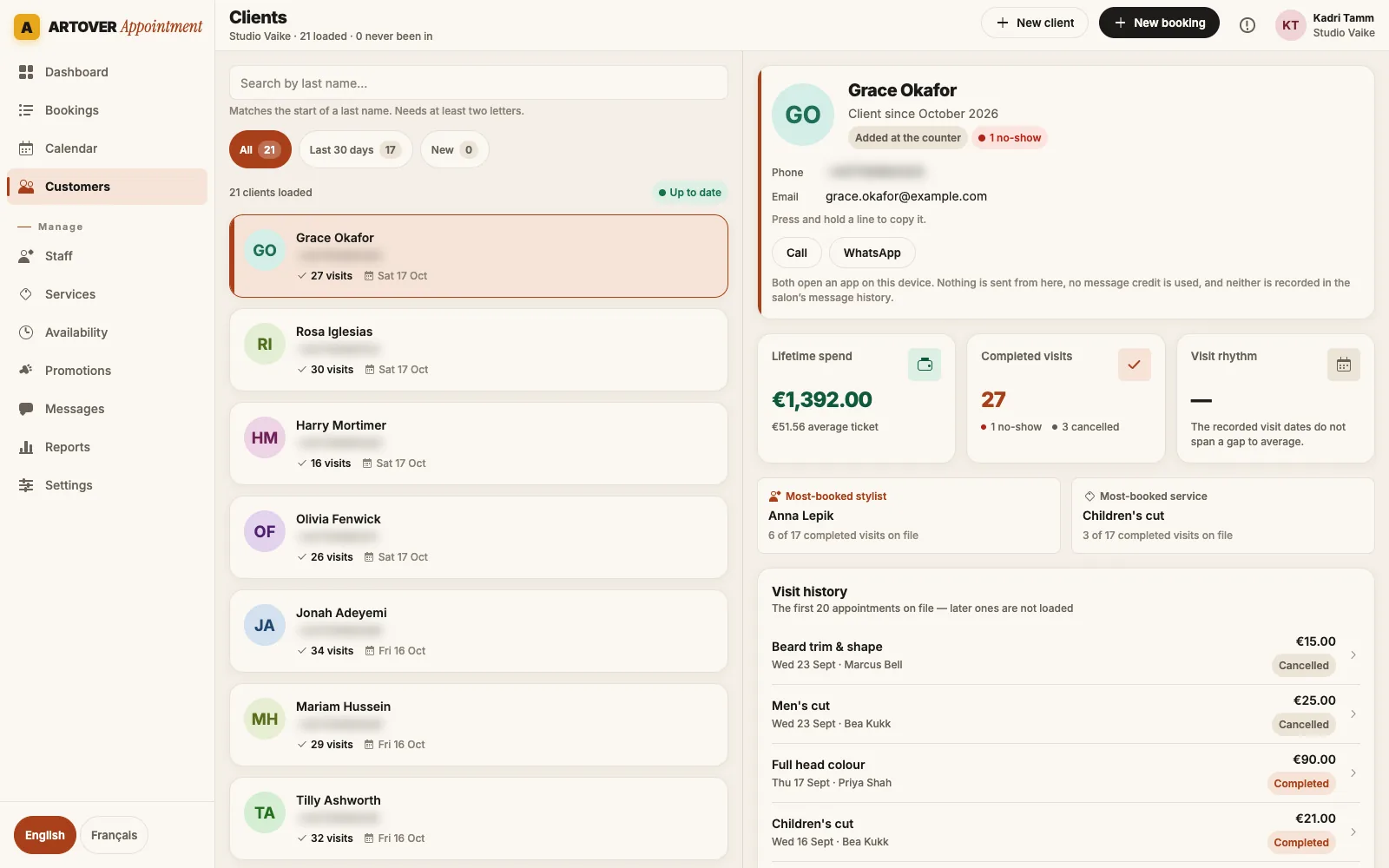
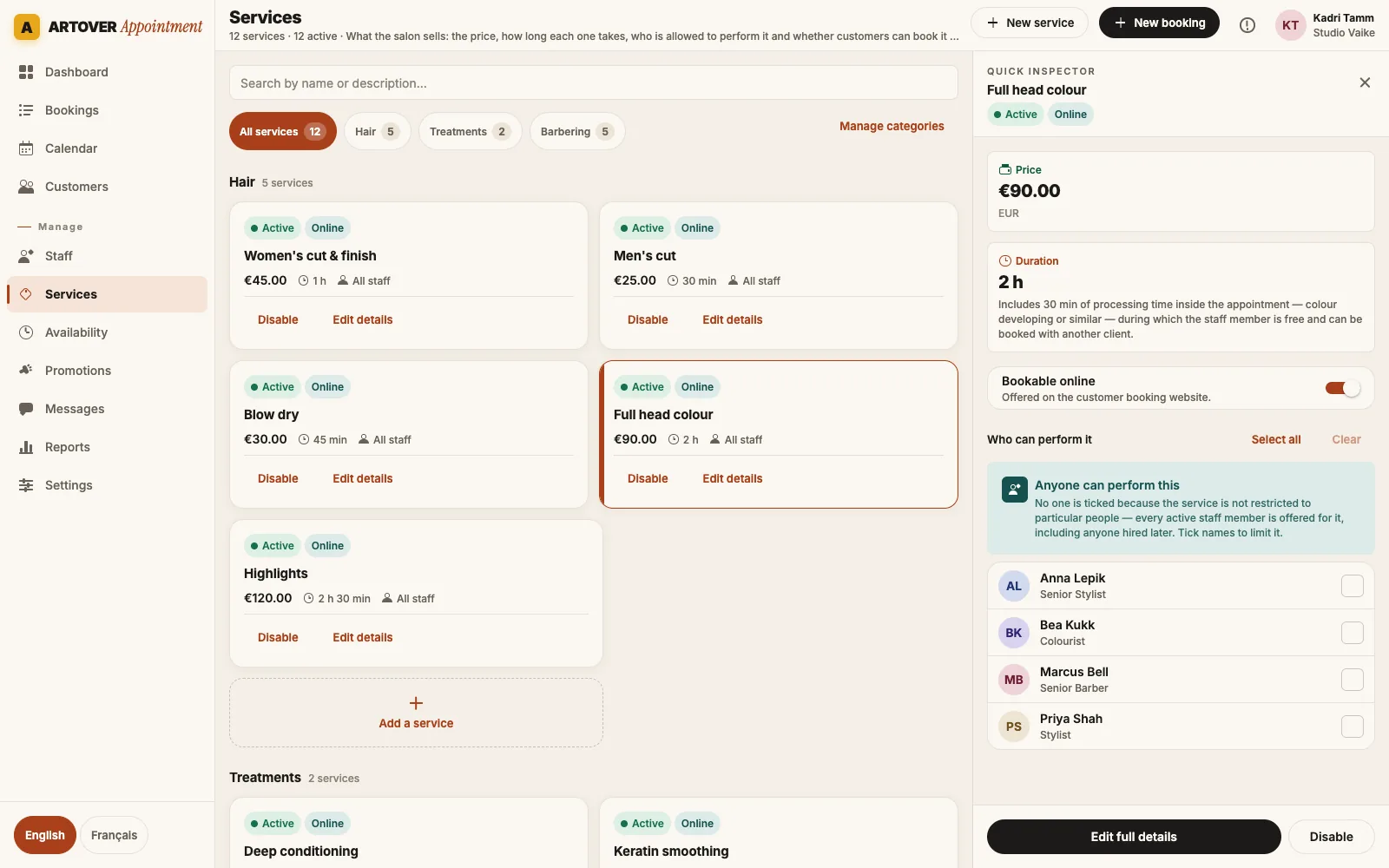
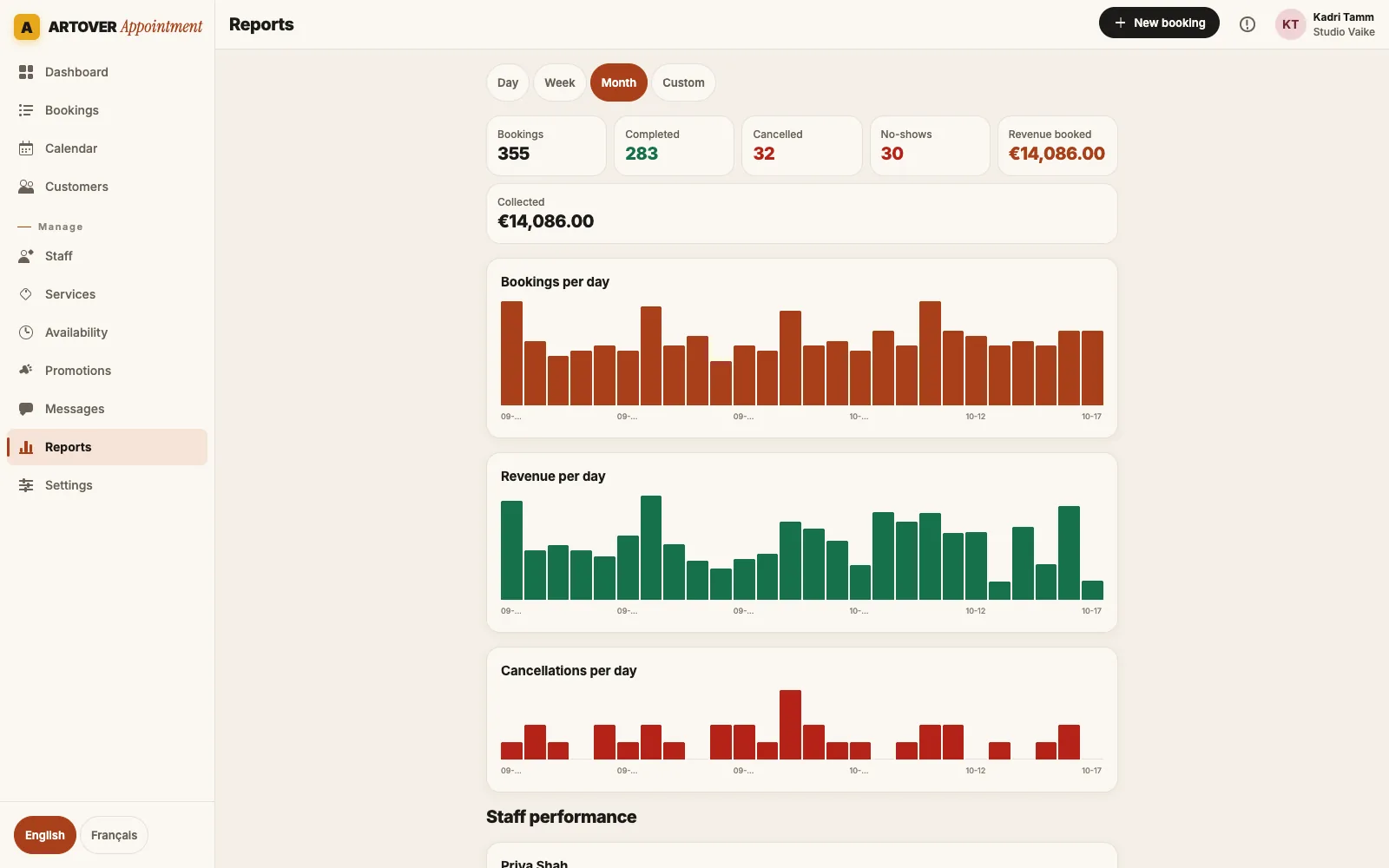
What Artover Appointment does
Your own booking page
A booking link for your salon to share on Instagram, Facebook, Google and WhatsApp. Clients pick services, a stylist or “any available”, a day and a time.
AI assistant that books for you (optional)
Switch it on and clients book just by chatting, on WhatsApp, Messenger, Instagram or your booking page: it answers their questions, offers real free times, takes their name and number and puts the booking in your calendar.
Several services in one visit
A cut, a colour and a treatment in one booking. Durations and processing gaps are added up so the time blocked is right.
Accept, decline or offer another time
Choose whether online requests confirm at once or wait for your team. If a time does not suit you, propose another one and the client answers from a link.
Day and week calendar
Day grid, week grid and agenda by stylist, with your opening hours, closed dates, buffers, lead time and how far ahead clients may book.
Service menu
Categories, prices, durations, processing time, notes and photos, with the stylists who do each service. Start from a sample menu and edit it.
Staff, hours and permissions
Weekly working hours and time off for each stylist, stylist profiles on the booking page, and per-person permissions for what staff can see and do.
Counter mode for a shared tablet
Sign in once on the salon tablet. Between clients, lock it and each stylist unlocks with a personal 4-digit PIN.
Client records
Contact details, notes, allergy notes, tags, preferred stylist, consent with where it was given, and visit history: visits, no-shows and total spent. Managers can export or erase a client’s data.
Confirmations and reminders
Booking received, confirmed, declined, new time proposed, cancelled, and reminders before the appointment, on your salon’s own WhatsApp number and by email, in English or French.
Deposits on online bookings
Ask for a deposit on every service or only on chosen ones. Clients pay by card through your own Stripe account, by PayPal.me or by bank transfer, straight to the salon; unpaid by the deadline, the slot is released.
The client’s own booking page
Every confirmation and reminder links to the client’s booking: they pay the deposit, cancel or move it themselves, up to the notice you set. You are told of every change.
Waiting list
When a day is full, clients join the waiting list from your booking page. If a slot frees up, they get the link on WhatsApp and by email, and the first to book takes it.
Recurring appointments
Book a regular client every 1 to 12 weeks in one go. Dates already taken are skipped and shown to you, and each visit gets its own reminder.
Gift cards and packages
Sell gift cards (the code is emailed to the recipient, with a balance spent over several visits) and packages of sessions paid in advance, both used at checkout.
WhatsApp, Messenger and Instagram inbox
Read and answer client messages from WhatsApp, Facebook Messenger and Instagram in one inbox, next to the booking they are about.
Google Calendar
Connect the salon’s Google Calendar, or each stylist’s own, and every booking, change and cancellation appears there.
Campaigns, automations and promotions
WhatsApp campaigns to chosen clients, automatic birthday, win-back and rebooking messages (only to clients who agreed), and promo codes with dates and limits.
Checkout record
Complete an appointment and record how it was paid: cash, card, bank transfer or other. Salons on ERPLY POS can send the sale to ERPLY.
Reports
Bookings, revenue and cancellations by day, cancellation rate, chair utilisation, average ticket and performance per stylist.
Tablet, phone or computer
It runs in the browser at appointment.artover.com, in English or French, with a layout made for the iPad on the counter and a full sidebar on a computer.
Good to know: your salon connects its own WhatsApp number, and WhatsApp messages and AI replies are paid per use from a prepaid balance in the app. The app is in English and French, messages to your clients go out in either language, and dates, times and prices on the booking page follow your client’s language and your currency. Deposits are paid straight to your salon, with no Artover fee on them. There are no SMS messages, and clients cannot pay the full price online yet.
Made for salons in Mauritius, ready for anywhere
Artover builds and runs the software from Mauritius, so support is in your time zone. Each salon sets its own currency and time zone, so a salon in Port Louis, Grand Baie, Réunion or Paris books in its own rupees or euros and its own hours.
Your currency
Prices in rupees, euros, pounds or any other currency. Each salon chooses its own.
Your time zone
Opening hours, slots and reminders follow the salon’s local time, whatever the client’s phone says.
Support from the team that built it
Questions go to Artover directly, by the chat on this site or by email, not to a reseller.
Taking bookings in an afternoon
- 1
Create your salon
Sign up at appointment.artover.com. The 7-day trial starts at once, with every feature and no card.
- 2
Add your menu and team
Import the sample menu and adjust prices and durations, set your opening hours and invite your stylists by link. The checklist shows what is left.
- 3
Share your link
Put your booking link on Instagram, Facebook, Google and WhatsApp. Connect your WhatsApp number to send confirmations and reminders.
One plan, every feature
- 7-day free trial with every feature, no card needed
- Every feature included: no add-ons, no limit on staff, services or bookings
- Billed monthly in US dollars; cancel any time from Settings
- WhatsApp messages and AI replies are paid per use from a prepaid balance, with top-ups from $10
Artover Appointment
$9
per salon, per month
Start your free trial7 days free, no card needed. Then $9 a month, every feature included.
Related
For barbershops
Walk-ins, barbers at a glance, rebooking and WhatsApp reminders.
For nail, brow and lash studios
Processing time, booking from Instagram, client notes and infills.
WhatsApp reminders
Confirmations and reminders from your salon’s own WhatsApp number.
Compared with Fresha
Prices for a salon in Mauritius, side by side.
Compared with Booksy
One flat price against a price per team member.
In Réunion
Prices in euros, the app in French, on island time.
Questions about Artover Appointment
What is Artover Appointment?
Artover Appointment is salon booking and appointment software built by Artover in Mauritius. It gives your salon an online booking page, a calendar for your team, staff schedules, client records, WhatsApp confirmations and reminders, campaigns and reports.
How do my clients book?
From your salon’s own booking link, which you can share on Instagram, Facebook, Google and WhatsApp. They choose one or more services, a stylist or “any available”, a day and a time. You decide whether online bookings confirm at once or wait for your team to accept them.
Does it send reminders?
Yes, on WhatsApp and by email. Your salon connects its own WhatsApp number, and the app sends confirmations and reminders at the times you set; every client with an email address also gets them by email. WhatsApp messages are paid from a prepaid balance in the app, emails cost nothing. It does not send SMS.
How much does Artover Appointment cost?
$9 per salon per month, with every feature included and no limit on staff, services or bookings. WhatsApp messages and AI replies are paid per use from a prepaid balance in the app. You can cancel any time from Settings.
Is there a free trial?
Yes. The trial lasts 7 days, includes every feature and needs no card. You can start it yourself at appointment.artover.com.
Do I need to install anything?
No. It runs in the browser on an iPad, a phone or a computer. You can keep a tablet on the counter in counter mode, where each stylist unlocks it with a personal PIN.
Can clients pay a deposit online?
Yes. Switch deposits on and set an amount for the salon or per service. Clients who book online pay by card through your own Stripe account, by PayPal.me or by bank transfer; for PayPal and transfers they upload the receipt, the AI reads it and your team confirms it. The booking stays pending until it is paid, and the slot is released if it is not paid in time.
Can clients book by chatting with the AI?
Yes. Switch on the AI assistant and allow it to book: on WhatsApp, Messenger, Instagram or the chat on your booking page, it offers real free times, takes the client’s name and number and puts the booking in your calendar, confirmed at once or waiting for your OK depending on your rules. AI replies are paid per use.
Can clients cancel or move their own booking?
Yes. The confirmation and reminders link to the client’s own booking page, where they can cancel or move it up to the notice you set (24 hours unless you change it). You are notified of every change.
Is it available in French?
Yes. The app is in English and French: each person picks their language, or it follows the device. Your booking page and the client’s own booking page follow the visitor’s language, English or French, with a switch. WhatsApp messages and emails go out in French or English, set for your salon, and the AI assistant on your booking page chats in French.
Try it
Give your salon a booking link this week
7 days free, then $9 a month. No card needed to start. Questions first? Ask us in the chat.