Salon booking software for South Africa
Your salon. Your schedule. Your time.
Manage appointments, clients, staff and your beauty business in one simple platform. Let your clients book online while you focus on your customers.
Free for one staff member, for good · No card needed · Times in SAST, prices in rand

Sound familiar?
The diary lives in your WhatsApp chats, and the day runs you.
Too many booking messages
“Do you have anything Saturday?” fifteen times a day, answered between clients.Double bookings
Two clients, one chair, because the slot was promised in two different chats.Missed appointments
A client forgets, and a two-hour set sits empty when it’s too late to fill it.Forgotten client details
Which colour formula? Which allergy? It was in a notebook, or someone’s head.Juggling several staff
Different hours, days off and specialities, and nobody sees the whole day at once.Evenings spent on admin
Confirming tomorrow, chasing deposits, counting the week’s takings by hand.
How Artover helps
One place for the whole salon day.
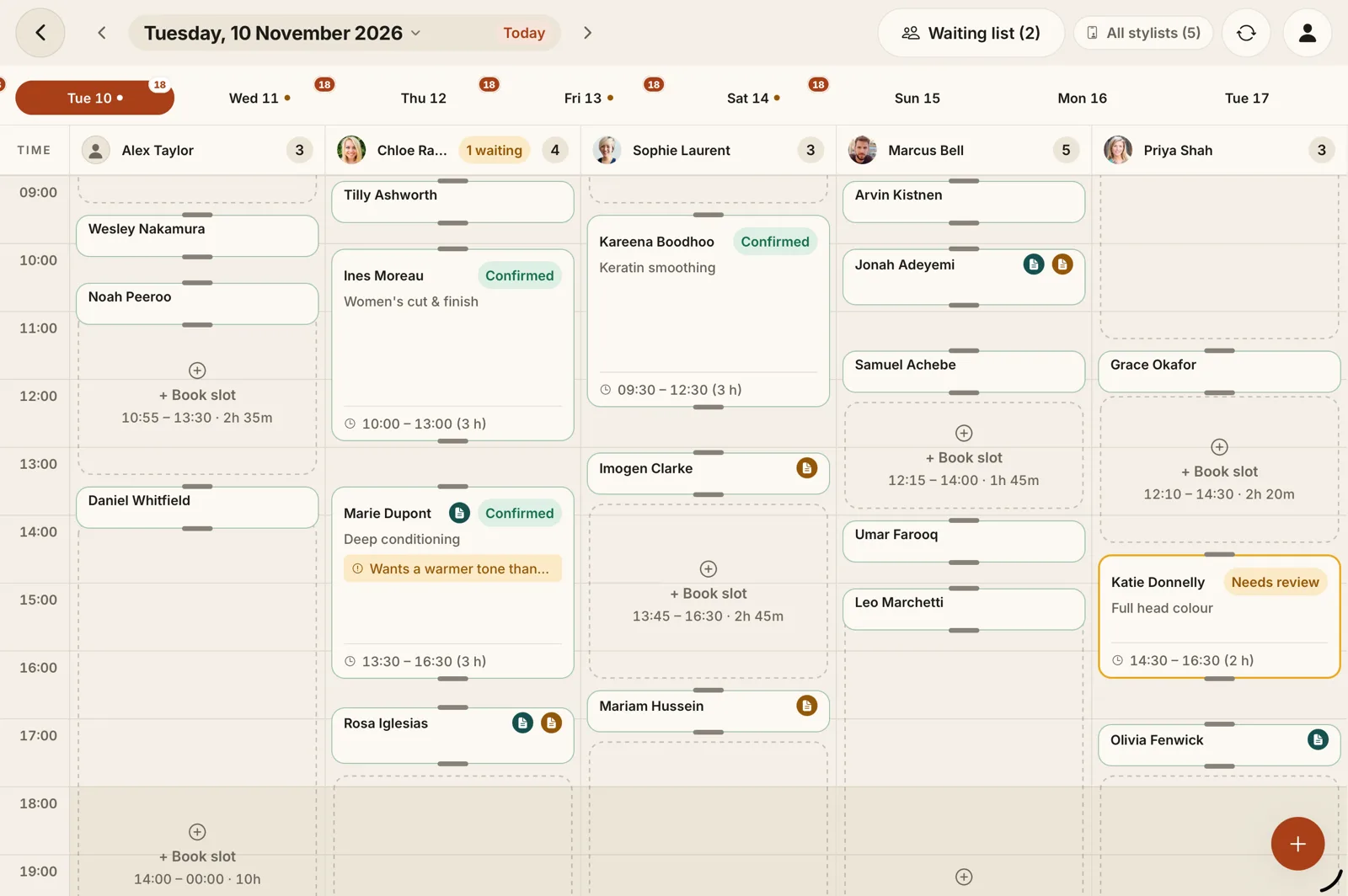
Clients book themselves from your link. Your team sees one shared calendar. Everything you know about a client is in their record, and the day’s numbers add themselves up.
Appointments
Day and week calendar. Accept, decline or suggest another time for each online request.Services
Your menu with prices and durations, including processing time between steps.Staff
Working hours, time off and permissions per person, and a shared tablet with a staff PIN.Client records
Visits, spend, notes and preferences, ready when the client walks in.Business activity
Reports on revenue, appointments and staff, exported to PDF, CSV or Excel.Reminders (Premium)
Confirmations, reminders and cancellations on WhatsApp from your own number, or by email.
How it works
Up and running in an afternoon.
Set up your business and services
Choose South Africa when you sign up. Add your services, prices and opening hours.Share your booking link
Put it in your Instagram bio, your WhatsApp Business profile and your Google listing.Receive and manage appointments
Requests arrive in the app. Accept them, move them, and see the whole team’s day.
Features
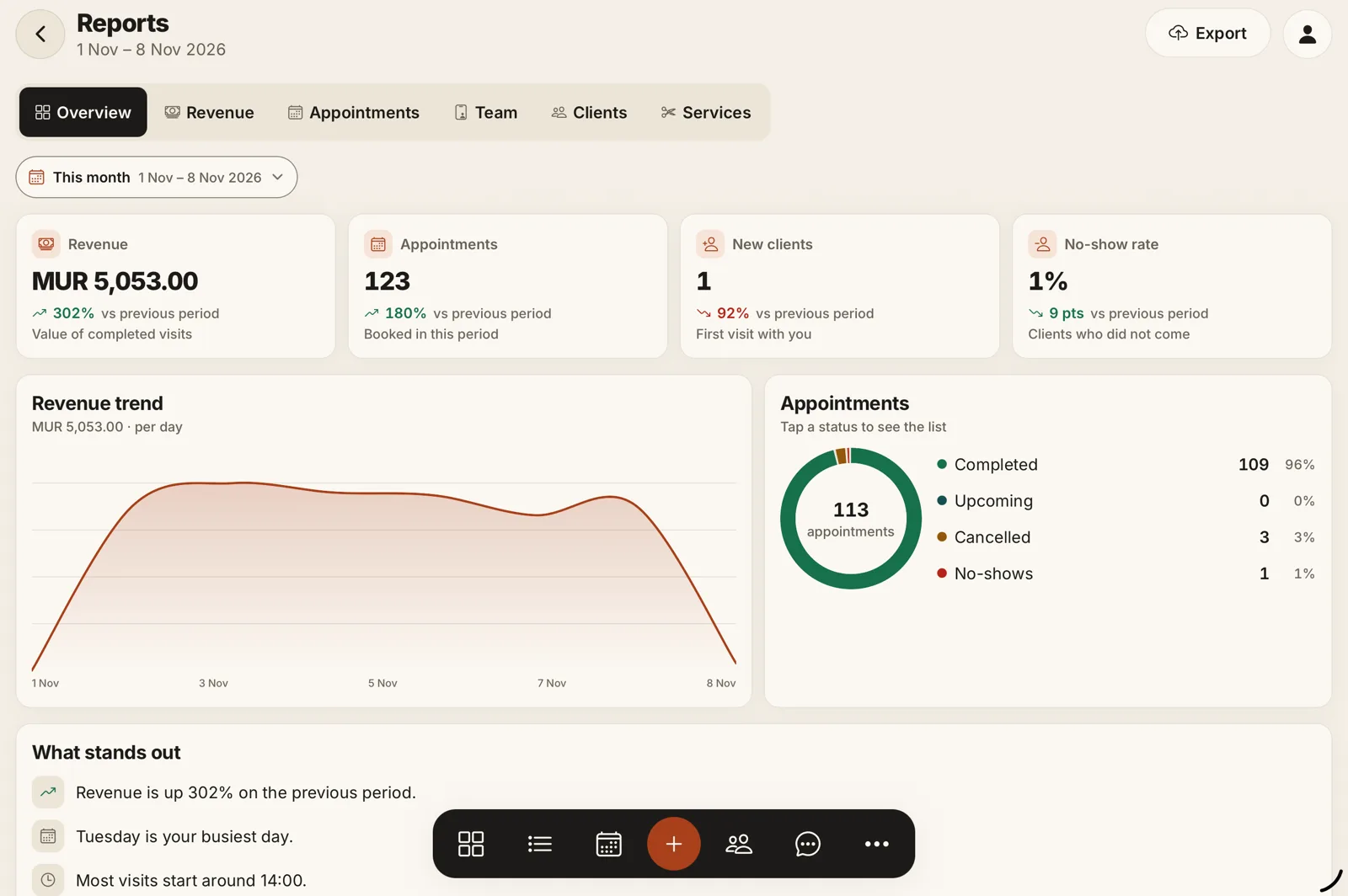
The real app, not an illustration.
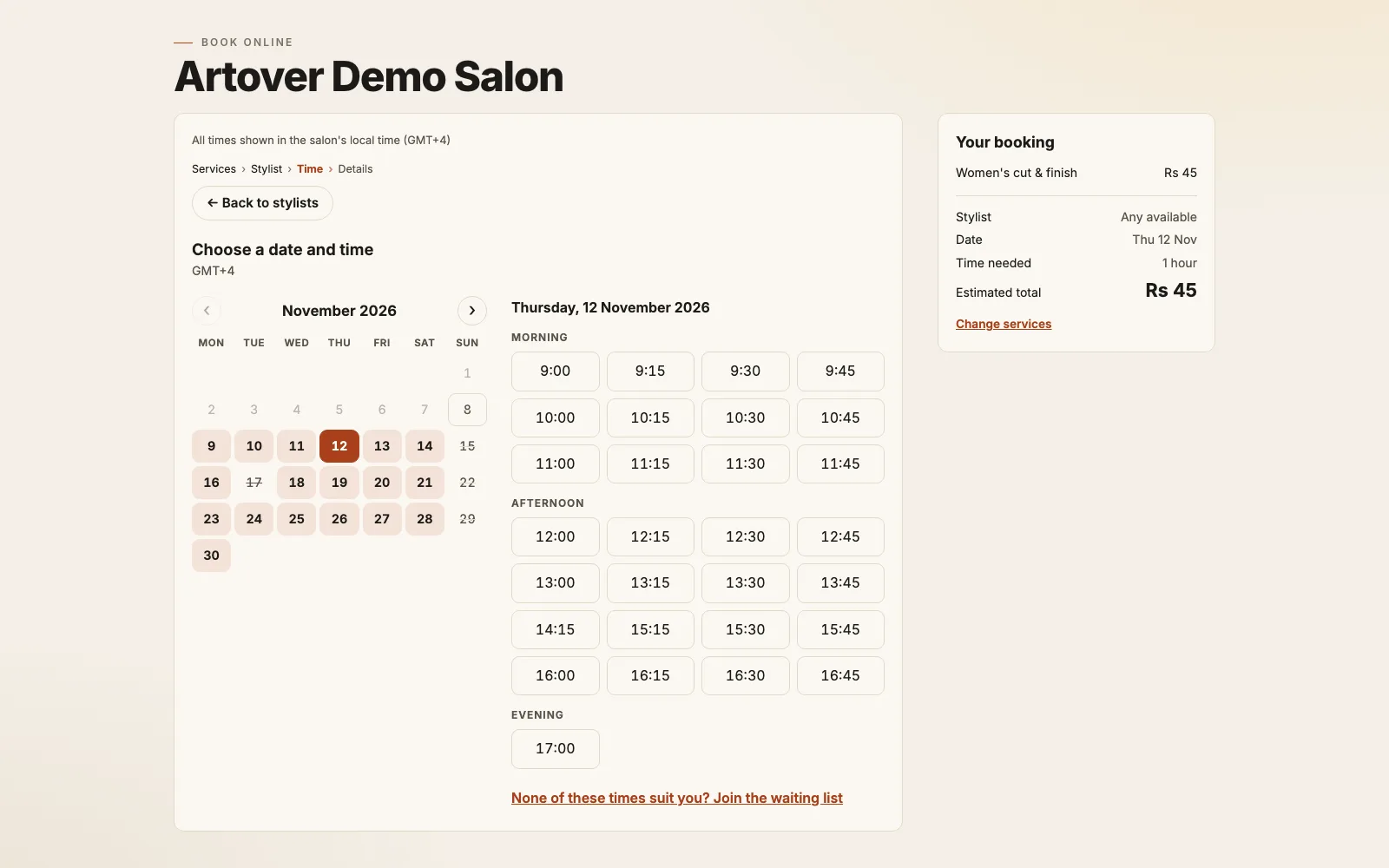
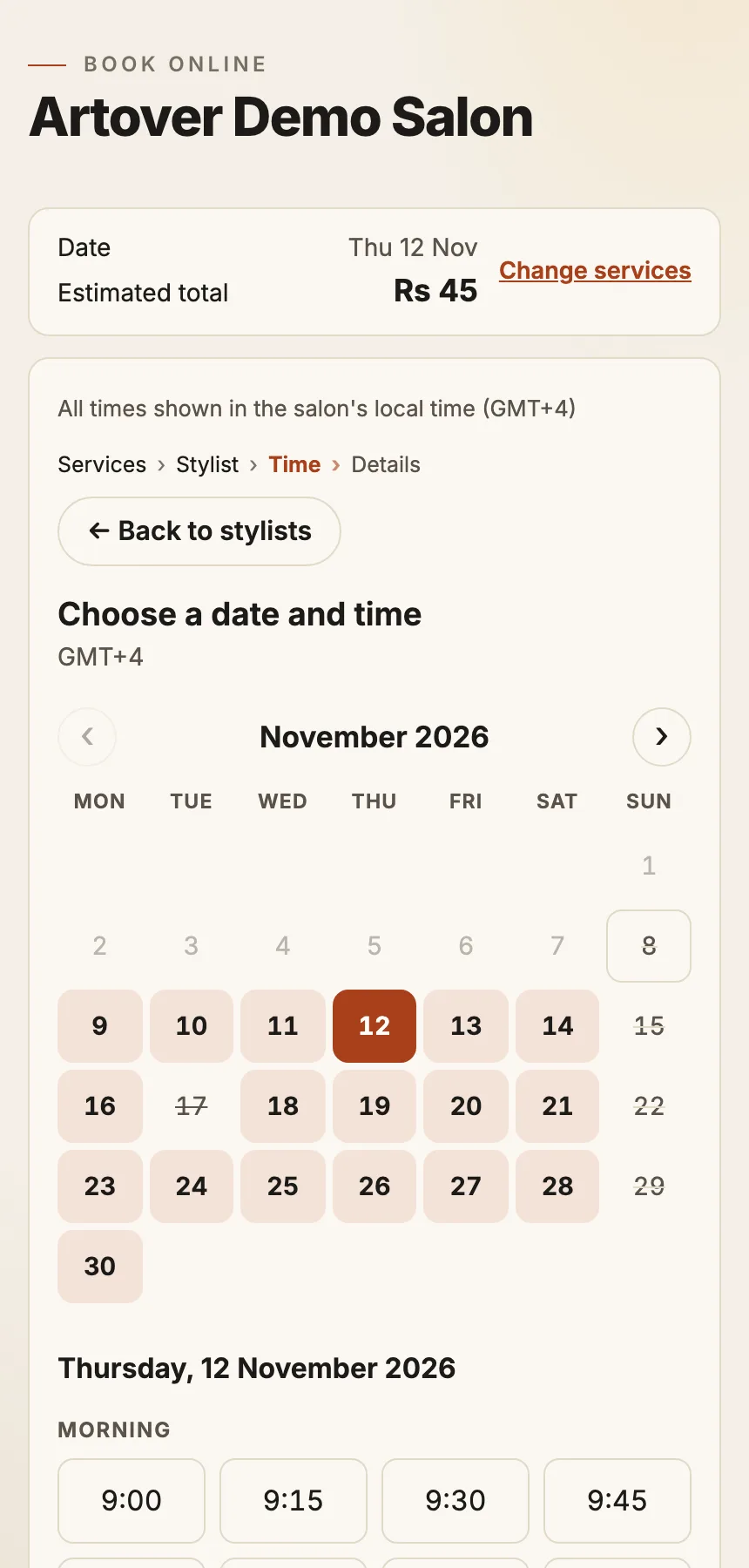
A booking page clients actually use
- No app or account for the client: one link, open on any phone
- They pick the services and, if they like, the stylist
- They cancel or move a booking themselves, within your policy
- Ask for a deposit, paid by EFT or PayPal.me before the slot is held
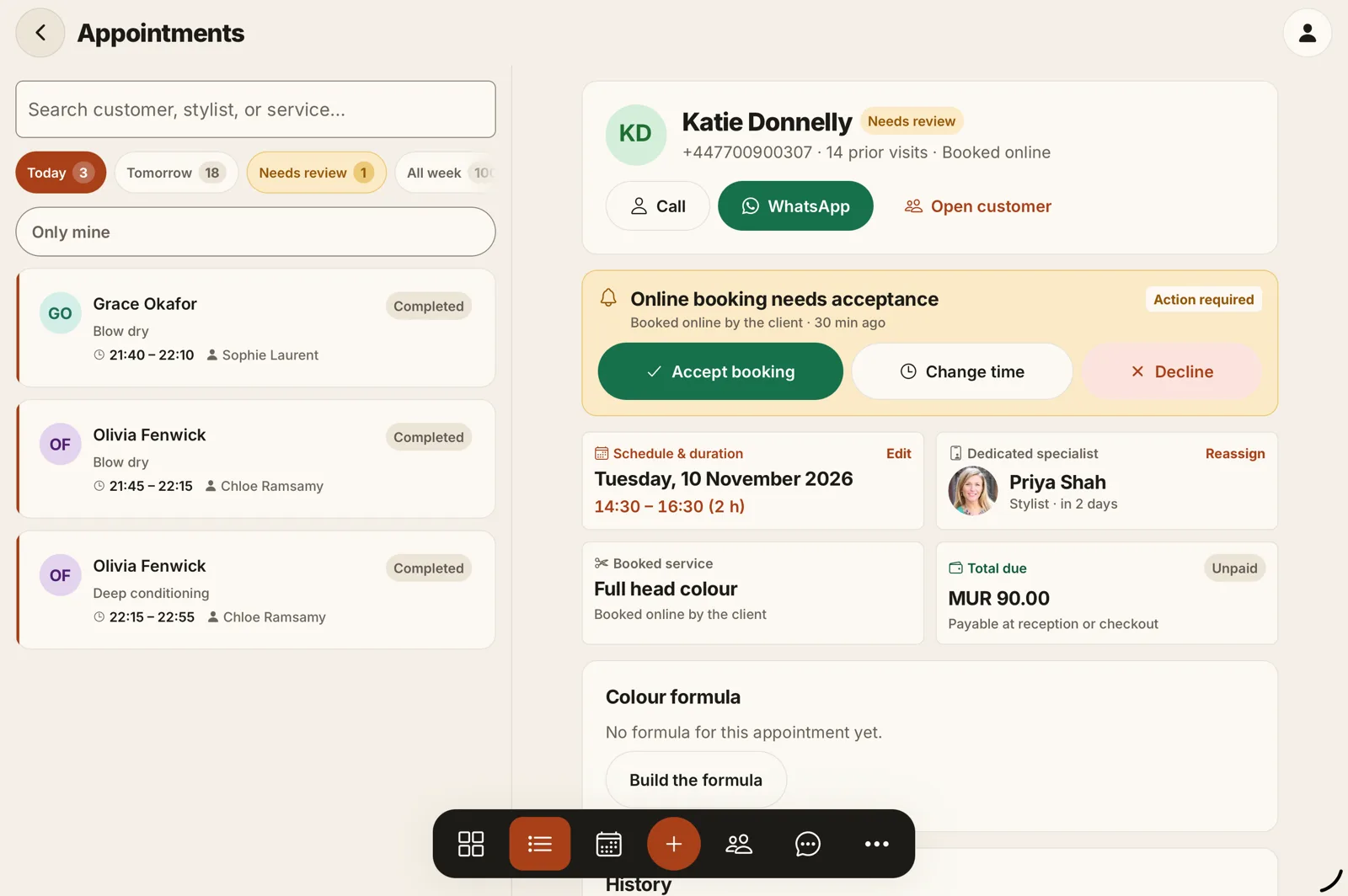
You stay in control of every booking
- Accept, decline or suggest another time, even on a confirmed booking
- Waiting list for the busy days
- Recurring appointments for regulars
- Two-way Google Calendar sync
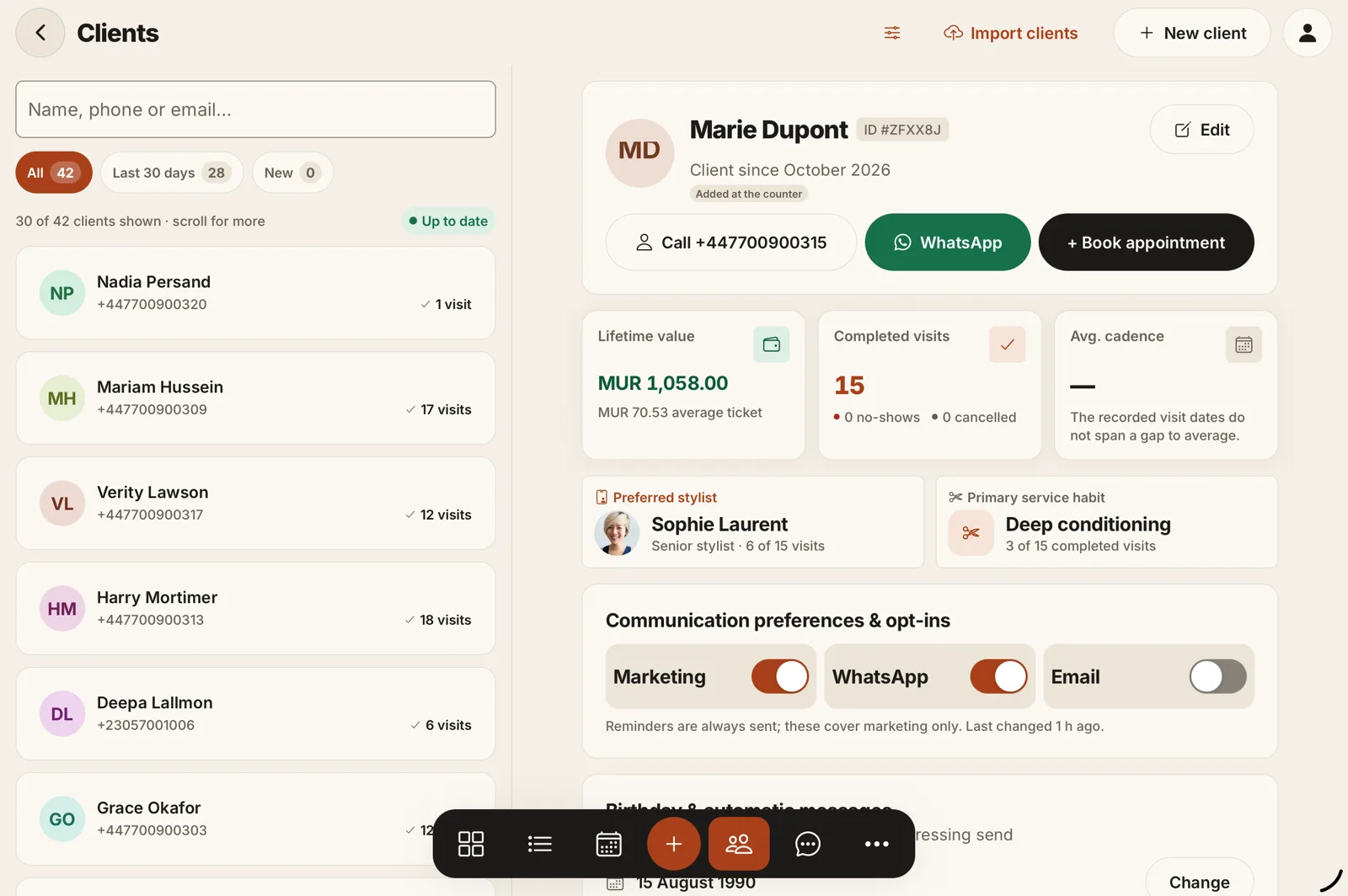
Every client, remembered
- Visits, spend, notes and preferences in one record
- Colour formulas and stock for hair salons
- Gift cards and packages
- Export or erase a client’s data when they ask
Know how the month is going
- Revenue, appointments and staff performance
- PDF, CSV and Excel export for your bookkeeper
- Your VAT number and rate on receipts
- Checkout with discounts, tips and refunds
Made for your trade
Whatever you do, the day works the same way.
Hair salons
More for hair salonsCut, colour and treatment in one visit, with processing time blocked correctly. Colour formulas stay on the client record.

Nail salons
More for nail salonsSets, fills and soak-offs with their own durations, and a deposit on the long appointments.
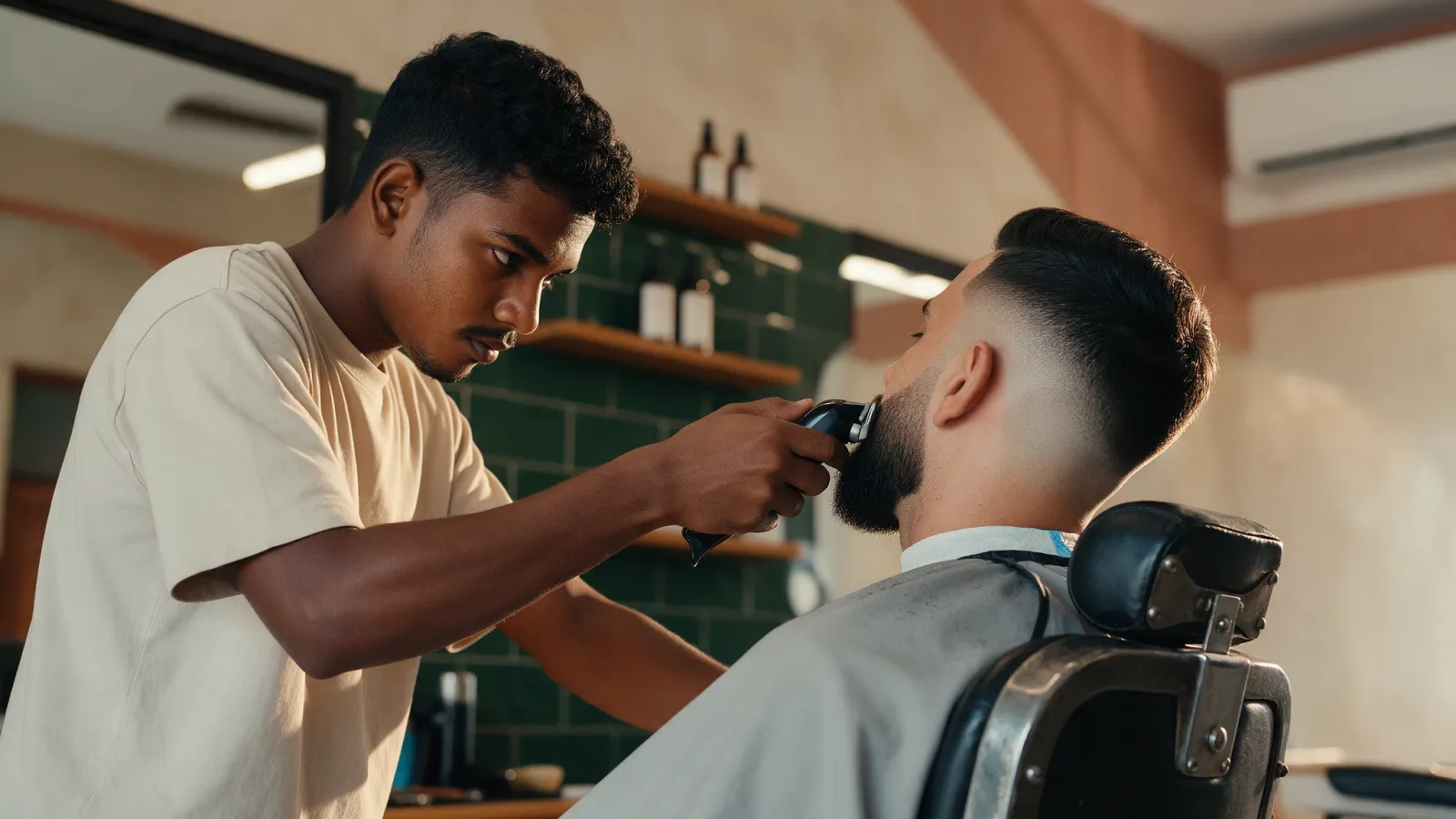
Barbershops
More for barbershopsClients choose their barber. One tablet at the counter, each barber with their own PIN.

Beauty therapists
More for beauty therapistsNotes on skin and allergies before every treatment, and packages for courses of sessions.

Lash and brow artists
Recurring appointments for infills, and a waiting list for when a slot opens.

Spas and massage
More for spas and massageGift cards sent by WhatsApp or email, and therapists’ hours and time off in one place.
On your phone
Run the salon from the chair, the counter or the couch.
The same account on iPhone, iPad, Android and the web. Accept a request between clients, check tomorrow on the way in.
Pricing
Free for one. One price for the whole team.
No per-staff fees and no commission on your bookings.
Why Artover
What you can check for yourself.
Stored in South Africa
Salon and client data is stored on Google Cloud in Johannesburg.Your clients’ rights, built in
Export or erase a client’s data on request. Clients choose whether to receive marketing when they book.People who answer
Artover has built software since 2009. Our team in Mauritius is two hours ahead of SAST.No lock-in
No contract and no commission on your bookings. Cancel Premium any time and keep using Free.
FAQ
Questions South African salons ask
Is Artover Appointment available in South Africa?
Can clients book online?
Can multiple staff members use it?
Does it work on mobile?
Can I manage my clients?
Is there a free plan?
How much does it cost?
Can I use WhatsApp?
Can I take deposits?
Can I cancel my subscription?
Can I use it outside South Africa?
Start today
Spend less time managing appointments. More time growing your business.
Free for one staff member, for good. Set up in an afternoon.